Why I Am No Longer Reading the AI’s Code
Earlier in my career—decades ago—I sometimes fell prey to hype, delivering solutions to clients with amazing bleeding-edge technologies. More than once, those technologies died. I recently recommended a blockchain solution to a client, only to wake up, sweat pouring down my face, realizing it was just a nightmare.
So when genAI came out, I was cautious. I’d done some previous work with AI, building powerful tools that were incredibly inflexible. I wrongly assumed that genAI was the same. I started experimenting cautiously—and then, about a year ago, I started a secret experiment that I didn’t talk about much.
The experiment was simple. I saw the endgame of AI-assisted programming, even if I was skeptical: build solid, production-grade software using English as the programming language. Just as most C developers don’t look at the binary code, AI developers wouldn’t look at the Perl, the Java, or whatever other code they emit that eventually becomes ones and zeros.
So I decided to try the Hail Mary pass. Can AI-assisted programming produce production-quality software without me reading or reviewing the code?
My hypothesis was clear: even if this turned out to be impossible, which I assumed it was, the pursuit would teach me so much about pushing AI to its limits that it would benefit me elsewhere. I’m currently trying to help 200+ software developers write better software with AI. Even a spectacular failure would be useful.
Except the goal wasn’t impossible. I’ve been producing production-quality software without writing or reviewing code. Some caveats:
- “Production quality” just means code that is at least as good as what experienced software developers would produce. They look at it and say, “yeah, I can work with this.”
- This has mostly been on medium-sized (30K to 80K lines of code) codebases.
- With some exceptions, these have been greenfield codebases. The jury’s still out for brownfield code, but we’re getting closer.
PAAD Logo Source
I do not want to overpromise. But I’ve had people review the code I’ve generated (not always being aware that AI was involved) and they’ve largely given it a thumbs up. The one time I clearly got a thumbs down was in showing a web-based game (more on this later) where I had built an unmaintainable pile of raw HTML. That wasn’t the AI’s fault: it was doing what I told it to do. Your skill is a developer is still the most important skill in all of this.
The result of that year is a Claude Code plugin named PAAD (pronounced “pad”) which encodes what I’ve learned over the past year.
For the rest of this article, unless otherwise stated, “AI” means “generative AI,” and I’ll use “AAP” for “AI-Assisted Programming.”
Disclaimer: I do not recommend skipping the code review of the code that AI writes. I skipped this because it was a deliberate year-long experiment to push AI beyond its apparent limits. If you aren’t reviewing the code, when things go wrong, you’ll struggle to know why and the AI might not be able to help you.
If you skip code review, you’re still responsible. “Human in the loop” becomes “human in the noose.”
DO NOT SKIP CODE REVIEW.
The Journey
First Steps
I haven’t talked about this much, because telling even experienced AI developers that I was on a solo quest to build production-quality code without reviewing it would lead them to see me as Quixote tilting at windmills. I’m also not a giant corporation or a well-funded Y Combinator startup trying to pull off the same thing (their founder’s talk on context engineering is excellent). I’m just one guy with limited resources.
I’ll mostly skip tool-specific details, but I’ve tried Windsurf, Cursor, Copilot, Kiro, Spec Kit with VS Code, and have now settled on Claude Code with Superpowers , along with my mad PAAD skills.
My first experiments were dreadful. One project, porting some complex Perl code to Python, was a miserable failure. I figured having the Perl code as the source of truth meant I had a perfect spec. I did not.
I tried again, this time porting the Perl modules in dependency order, starting with the leaves of the dependency graph. I got much farther—until I discovered that my failure to review had allowed a critical design flaw into a core module that meant the system could not possibly work. It would take as much time to unravel the mess as to restart. I stopped and regrouped.
The problem was clear: there were subtle errors in my prompts, and even when there weren’t, the AI wasn’t writing what I asked for, sometimes adding things I did not ask for and skipping things that I had. This, compounded with AI’s tendency to output slop and ignore architecture, meant that I could only scale so far.
But I wasn’t giving up. I had become sure this could be done, if I could just figure out the trick.
The First Breakthrough: Spec-Driven Development
That’s when I discovered Spec-Driven Development (SDD). It’s actually been around since the 1960s, but wasn’t standardized until about 20 years ago. AI is merely using a well-established methodology. Specifically, I discovered GitHub’s spec-kit , and it turned my thinking around completely. In particular, two commands that spec-kit lists as optional: clarify and analyze .
They are not optional.
In PAAD, these became skills named pushback and alignment . Together, they were the first real breakthrough.
The requirements.md file has just been edited.
Please analyze it for:

1. Obvious omissions - missing requirements
   that should be included based on the context
   of this project
2. Ambiguous requirements - requirements that need
   clarification or are unclear
3. Contradictory requirements
4. Security concerns - any requirement that might
   present a security issue
5. A quick check of recent commits for anything which
   might conflict with the requirements

If you find issues:

- Ask the user ONE question at a time
- Present specific options, from best to worst,
  with your recommendation for fixing the issue,
  along with a short explanation
- Wait for their answer before asking the next
  question
- After all questions are answered, update the
  requirements.md file with the clarifications
  and additions based on the user’s responses

If no issues are found, inform the user that
the requirements look complete and clear.
Pushback runs after you’ve created a spec. It looks for omissions, ambiguities, contradictions, and recent changes to the codebase that might impact your spec, presenting them one at a time so you can resolve each one. Only once have I used this skill and not had it find something.
Alignment takes the task list and compares it to the spec. Are all requirements addressed? Did extra “features” creep into the tasks? Your tasks must be 100% aligned with what you asked for. Even when building out specs and tasks using Claude Opus 4.6 on max thinking, I have never run the alignment check without it finding misalignments. Never. Not once. No matter what tool or methodology I’ve used, without running alignment—usually more than once—the AI is never building exactly what I asked for.
This was a critical discovery. The AI doesn’t betray you with obviously wrong code. It betrays you with almost-right code that does slightly more, or slightly less, than what you specified. Pushback and alignment catch these drifts before they compound.
I was asked if I thought SDD was the “end goal” of AAP. I don’t believe it is. We’re still discovering and exploring. PAAD is an interim solution, covering gaps with AAP. As we push further, I fully expect, and hope, that it will become unnecessary.
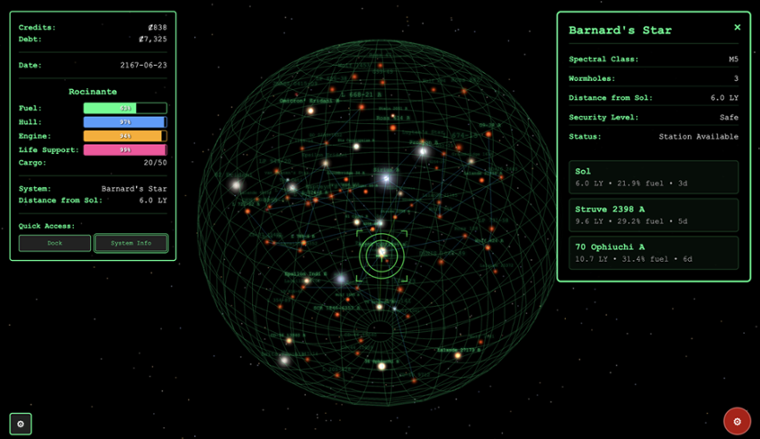
Pretty confident in my newfound skills, I set out to create Tramp Freighter Blues, a browser-based space trading game (about 30K lines of React, TypeScript, and Three.js , or 95K if you also count the tests). You can play the game and read the code and judge for yourself.
The Architecture Wall
Tramp Freighter Blues took a long time to build, largely because it was a “spare time” project with a two-month gap at one point. I was also constantly stopping and refining my process, taking every new learning and asking, “how can AI make this problem go away?”
My prompts were getting more sophisticated, the game was coming to life, and I was proud of what I was accomplishing. I would push to GitHub, Copilot would review (badly), I’d ask my AI to look at the reviews and fix the correct ones.
But despite rigorously following SDD, using pushback and alignment, things sometimes broke in mysterious ways. Some features took longer to build than I expected. I was hitting complexity limits I couldn’t explain.
So I asked Claude to review the architecture. It found several serious issues. I had been getting sloppy. I had pushback and alignment, but I had ignored the structural integrity of the codebase itself.
I used metaprompting—asking OpenAI, Claude, and Gemini to each build me an architectural review prompt—and combined the best of all three. The result was devastating. I had built a house of cards.
$ git lg|grep 'Merge.*architecture'
*   dbc1a5f - Merge branch 'ovid/architecture' (4 days ago) <Ovid>
*   091b86b - Merge branch 'ovid/architecture' (8 days ago) <Ovid>
*   3c87b6a - Merge branch 'ovid/architecture' (9 days ago) <Ovid>
*   e2be7db - Merge branch 'ovid/architecture' (2 weeks ago) <Ovid>
*   1b0d243 - Merge branch 'ovid/architecture' (3 weeks ago) <Ovid>
*   1c6a5c3 - Merge branch 'ovid/architecture' (3 weeks ago) <Ovid>
Fortunately, I had a secret weapon: AI. I pointed it at my architecture reports and told it to fix them, one at a time. This dreaded grunt work became a background task.
Currently, my /paad:agentic-architecture skill runs five specialized agents (inspired by Claude’s code review tool ):
- Structure & Boundaries — module organization, responsibility distribution, domain modeling
- Coupling & Dependencies — how components connect, abstraction quality, dependency direction
- Integration & Data — data ownership, API contracts, save/load integrity, transactional boundaries
- Error Handling & Observability — error strategies, logging, config, business logic placement
- Security & Code Quality — input validation, dead code, test coverage, secrets
The results are passed to a validator agent that organizes, deduplicates findings, and validates that each one is real. And yes, this process eats tokens like popcorn at a horror movie.
In the interest of full disclosure, here’s an architecture report for Tramp Freighter Blues so you can see what to expect. You can see that it’s pretty good now, but still has some gaps. PAAD is helping me fill those gaps.
A warning: do not assume the architecture report is always correct. It is a guide, not a mandate. For one codebase, it flagged a God Object that was terrible, I rewrote it in a clean façade pattern, and it reflagged it as a God Object solely based on the length of the code. I’ve since tightened the architecture reporting, but you still need human judgment.
Note: For all PAAD commands, such as /paad:pushback, you can usually omit the paad: part. Running /pushback works fine. However, if you have another plugin providing skills with the same name, the paad: namespace makes it unambiguous.
Degradation: The Final Piece
So now I had three pillars—Pushback, Alignment, Architecture—but something was still missing. I do a lot of context switching: writing training material, trying out new AI tools, mentoring developers, and attending lots of meetings. For one internal project, I ran make cover, only to discover I had forgotten to add a Makefile target for code coverage.
This kind of drift—small things falling through the cracks—is degradation. Degradation leads to bugs, security holes, unexpected behaviors, and so on. Solving this is akin to solving the halting problem. You can’t, but you can be vigilant.
PAAD now includes a /paad:makefile skill that creates or updates a Makefile with all the standard commands I need across projects. When I switch to a new project, I run that and don’t have to remember the unique commands for each codebase.
Linting and formatting are nice, but make cover is the high-value win. I strive for over 90% test coverage, hoping for at least 95%. This is the number one guard against degradation. When you get a bug, have your AI figure out how to write a test that exposes it. If that test exists, it’s much harder for the bug to return.
But some bugs are hard to expose through unit tests. For Tramp Freighter Blues, I kept running make dev and manually playtesting. I would get lazy, sloppy. I missed things.
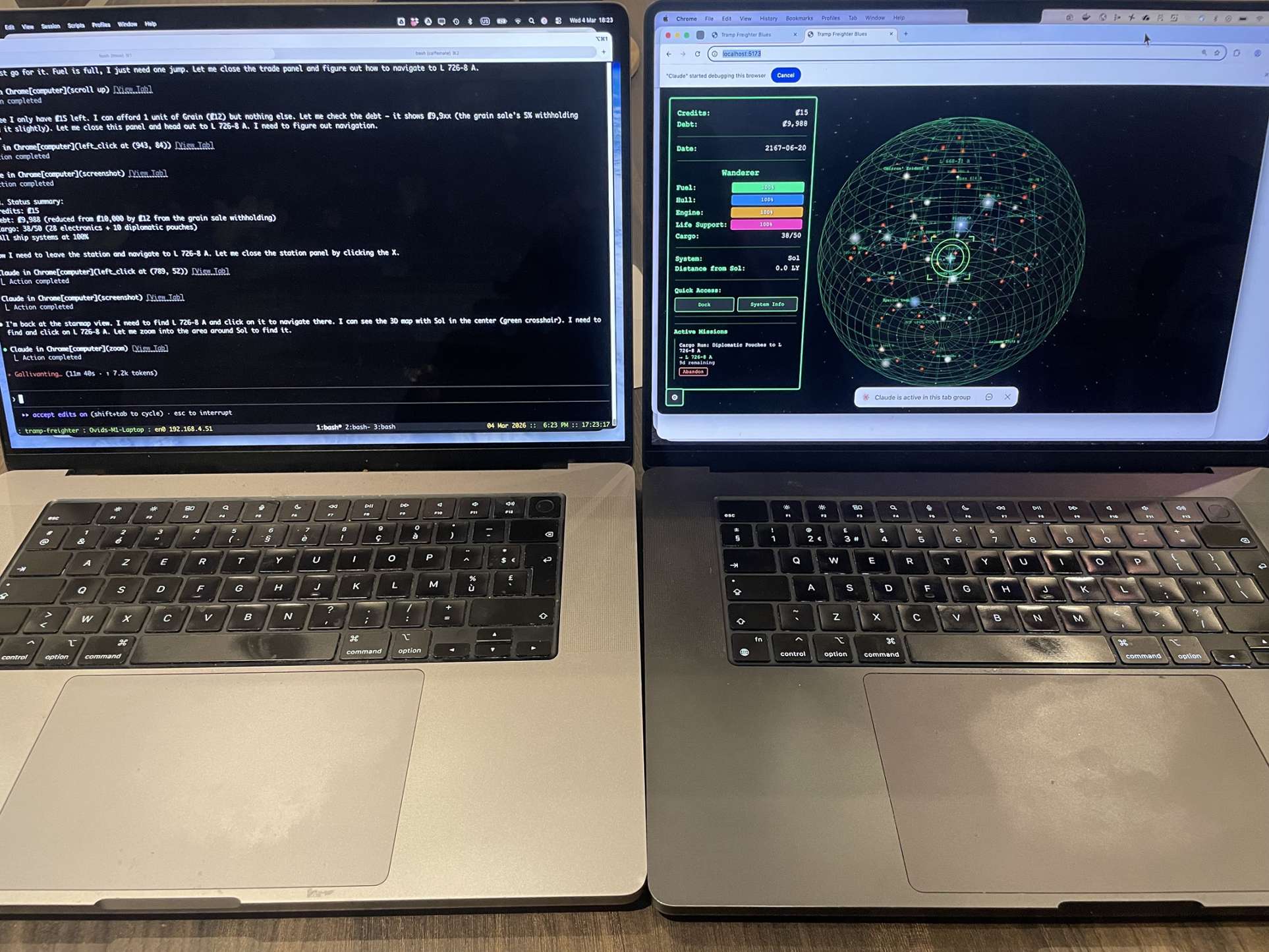
Then Anthropic released Chrome integration for Claude Code . AI gets sloppy, but it doesn’t get tired. I now have a UAT (User Acceptance Testing) skill. I throw my last spec at it and it runs acceptance tests for me. I have custom versions, such as one that tells it to be a new player and try to complete the game. I run it before bedtime and have a full report when I wake up.
You still need manual UAT because things obvious to a human aren’t necessarily obvious to an AI. But the AI catches things humans miss. Doing the “Alpha Centauri A to Epsilon Eridani” run for the tenth time is boring. AI doesn’t get bored (though sometimes it gets cranky).
I haven’t added the UAT skill to the public PAAD release yet because it’s still in beta and has a massive security hole. I discovered this in a meeting, when my browser suddenly woke up and started running a UAT pass against Tramp Freighter. My computer at home had started the run, but connected to my computer in an office in another city .
And that’s the full acronym: Pushback, Alignment, Architecture, Degradation. Four pillars, each born from a specific failure, each addressing a specific way that AI-assisted programming silently goes wrong.
English Is the New Source Code
At this point, some people inevitably say “you didn’t write the code, the AI did.”
Ignore them. That’s like telling a C developer they didn’t write the code because their C compiled to machine code. When there are bugs in a C program, you don’t rewrite the machine code—you rewrite the C. For AAP, you wrote the code. Your programming language is English now.
Yes, C compilation is deterministic and AI is not. That’s a real difference, and it’s exactly why PAAD exists. Each pillar—pushback, alignment, architecture review, degradation checks—substitutes systematic verification for the determinism you’ve lost. You’re not trusting the compiler blindly. You’re trusting a process that catches the compiler’s mistakes.
But here’s the key shift: you review the spec, not the code. English is the new source code and you always review source code, right? Review it.
Putting It All Together
If you want to try this yourself, PAAD is a Claude Code plugin . Installing it is simple:
/plugin marketplace add Ovid/paad
/plugin install paad@paad
(If you’re not running Claude Code, you can still adopt the methodology—you’ll just need to do some work adapting it to your tools.)
A note on safety: through all of this, you probably want to run in a locked-down Docker container, a VM, or some other isolated environment. AI still does bad things, like deleting your entire inbox .
The PAAD workflow looks like this:
Start with your steering files. They might be called CLAUDE.md, AGENTS.md, a constitution, or something else—it’s tool-specific at this point. Read them carefully. The team should meet regularly to review and update them.
This is worth pausing on, because it’s easy to underestimate. Errors in software development cascade. If a ticket has errors, you write some bad code—one bad ticket, one bad feature. If the design has errors, you get lots of bad tickets. If the spec is wrong, you get even more design errors and even more bad tickets. But if the steering is wrong, it doesn’t matter if your spec is perfect—everything the AI builds will be impacted, across every ticket, every feature, every sprint. The higher up the chain the error lives, the more it multiplies on the way down. This is also why pushback on your specs is so critical: catching a flaw in the spec prevents a cascade of flawed implementations.
Check your test coverage. The lower your coverage, the harder it is to prevent AAP from making mistakes. If your system is too messy for comprehensive unit tests, try writing end-to-end integration tests along critical paths. These tests are fragile on legacy codebases—obscure changes deep in the codebase will break them—but at least you’ll see errors you otherwise wouldn’t.
Run an architecture review (/paad:agentic-architecture) if you have the token budget. The more architectural issues you have, the worse your AAP experience, unless you’re very careful to steer around the problems. “Steering” means providing the agent with a lot more context to ensure it’s really doing what you want. If you’re on a team, prioritize the issues together and fix one per sprint. Fixing too many too fast is a recipe for disaster.
For each ticket: create a branch (please don’t commit directly to main), write your spec, run /paad:pushback, resolve what it finds, then generate your implementation tasks and run /paad:alignment. Fix the misalignments. You will be shocked how many there are.
Run the agentic review (/paad:agentic-review). Grab coffee—it takes a while. It spawns specialized agents, each reviewing a different dimension (spec conformance, security, architecture), and a validator agent that checks the reviewers' work. Think of it as GitHub’s Copilot review, except deeper and with fewer false positives. For one Java codebase of about 40K lines, it took five minutes at a cost of about $5 in tokens.
Wash, rinse, repeat.
A Few More Things
Context management
Keep an eye on how much context you consume. Start new sessions before you hit 50%. Your code quality will be better. When your context fills up, context rot sets in. Don’t compact your session either; you’ll lose information that may be critical to the success of your code.
Accessibility (a11y)
Try /paad:agentic-a11y for a thorough report of accessibility gaps. Here’s an accessibility report for Tramp Freighter Blues that I’m working through now.
Vibe coding
Yeah, we need to talk about this. Some argue that with SDD, if you need to “vibe” a fix, your spec is wrong and you should go back and fix it. That might be true once the tooling is good enough, but most of us aren’t there yet. So PAAD includes a vibe coding skill that has just enough structure for small fixes, with checks for code duplication and architecture flaws. One time I used it and it stopped cold because it found an architectural problem in my messaging system.
The vibe skill uses red/green/refactor. In fact, the alignment skill, when it finishes aligning, rewrites your tasks in red/green/refactor. Why?
- Red: write a failing test first. The very first time I tried TDD years ago, I wrote a failing test. It passed. I scratched my head for a while before realizing I’d been asked to implement a feature that already existed, but no one knew. Mind-blowing. More commonly, your “failing” test fails in ways you didn’t expect, which highlights unknown issues.
- Green: tell the AI to write minimal code to pass the test. This forces it to approach the problem simply. You’re less likely to get slop.
- Refactor: this is what AI almost never does unless you tell it to. So we tell it. It finds duplicated code, hard-coded values that should come from config, and any number of small issues that accumulate into big ones.
Shesha
Tramp Freighter isn’t the only code that I’m writing with this technique. There’s also Shesha , a recursive language model that effectively gives any LLM unlimited context (bound by how much RAM you can safely let it use).
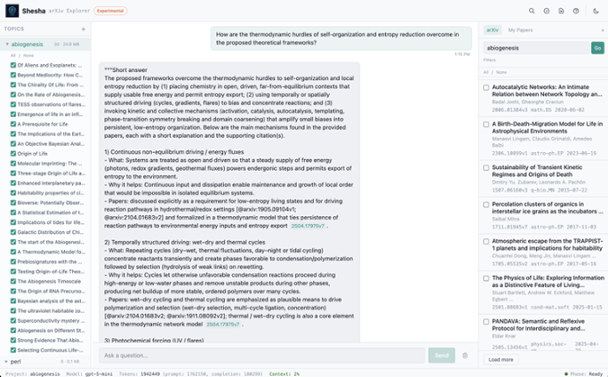
With that, I bundled the Shesha Code Explorer . I recently threw three large GitHub repositories at it, totalling about 39 megabytes of data, described a project I wanted to build, and asked for a high-level design (HLD). These often take architects days or weeks to build out. I had it done in a couple of minutes . Interestingly, while the overall design was good, it was missing some critical details of the hardest problems. A bit of digging revealed the cause: I was thinking in “RAG” terms and the system prompt tells the AI to only answer the questions based on information in the documents. Hence, my limitation. Now that I know the problem, the solution itself is simple, but I need to think carefully about the UX so that users know the difference between information from the documents and information that the LLM inferred.
Conclusion
This was a fool’s journey. One guy trying to do something that everyone said was impossible—something that I thought was impossible. I set out to build production-quality software without ever reading the code, expecting to fail instructively.
Instead, I found that for greenfield code, it is possible—but only with both the token budget and the discipline. Without pushback, your specs have gaps. Without alignment, the AI builds something almost-but-not-quite what you asked for. Without architecture review, the codebase silently rots. Without degradation checks, everything you’ve built slowly falls apart.
The brownfield story is still developing. I’m finding that PAAD helps with legacy systems, but it’s slower and you need to give it more context. One promising sign: a team that insisted AI wasn’t working with their legacy codebase let me pair with them. When they built out their spec, my pushback skill politely informed them that a recent change to the codebase meant their meticulously crafted specification could not work. That was a happy accident—I’ve since updated the skill to deliberately check this—but it hints that the methodology scales beyond greenfield.
The release of Opus 4.5 last November was a major upgrade in capabilities. Just a few days ago, Claude Code landed with a one million token context window for Opus 4.6. These systems keep getting better.
But here’s what I keep coming back to. For decades, we’ve been writing code and hoping the compiler turns it into the right binary. Almost nobody reviews the assembly output. We trust the process. What I’ve learned over the past year is that with enough discipline—with the right pushback, alignment, architecture, and degradation checks—you can start to extend that same trust one level higher.
For personal projects (not work!), I’m not reading the AI’s code anymore. I’m reading the specs, the alignment reports, the architecture reviews. I’m reading the intent, and verifying that the intent was honored. But I have a confession: for one of my PAAD projects, I cheated. I finally sat down and started reading through 40K lines of code.
And I thought, “yeah, I can work with this.”
This is the next abstraction layer. And like every abstraction layer before it, it’s terrifying until it works.
Disclaimer: Again, always review the code. Absolutely do not skip this.